Daily care: daily reports
Purpose
Record each child's day as it happens, so parents can see it when you publish the report: nappy changes, meals and how much was eaten, activities, sleeps, photos and a note about the day.
Before you start
- The child must be on the day's register. Daily Reports lists the children booked in for the date shown.
Open a child's report
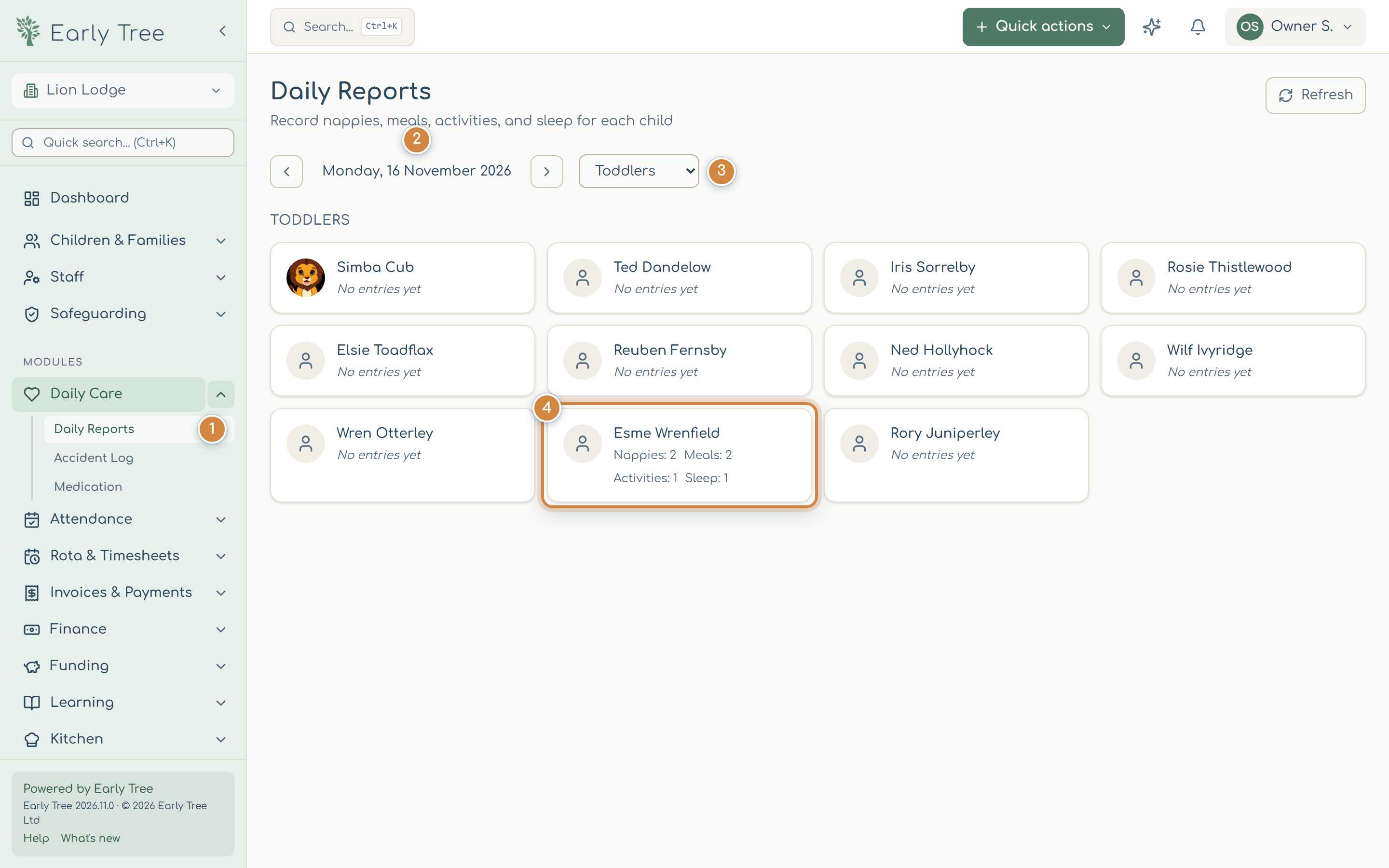
- In the menu, select Daily Care, then Daily Reports 1. It opens on today.
- Use the arrows either side of the date 2 to see another day, and Today to come back.
- Choose your room 3.
- Select the child 4. Each card shows how many entries their report has so far.
Add entries through the day
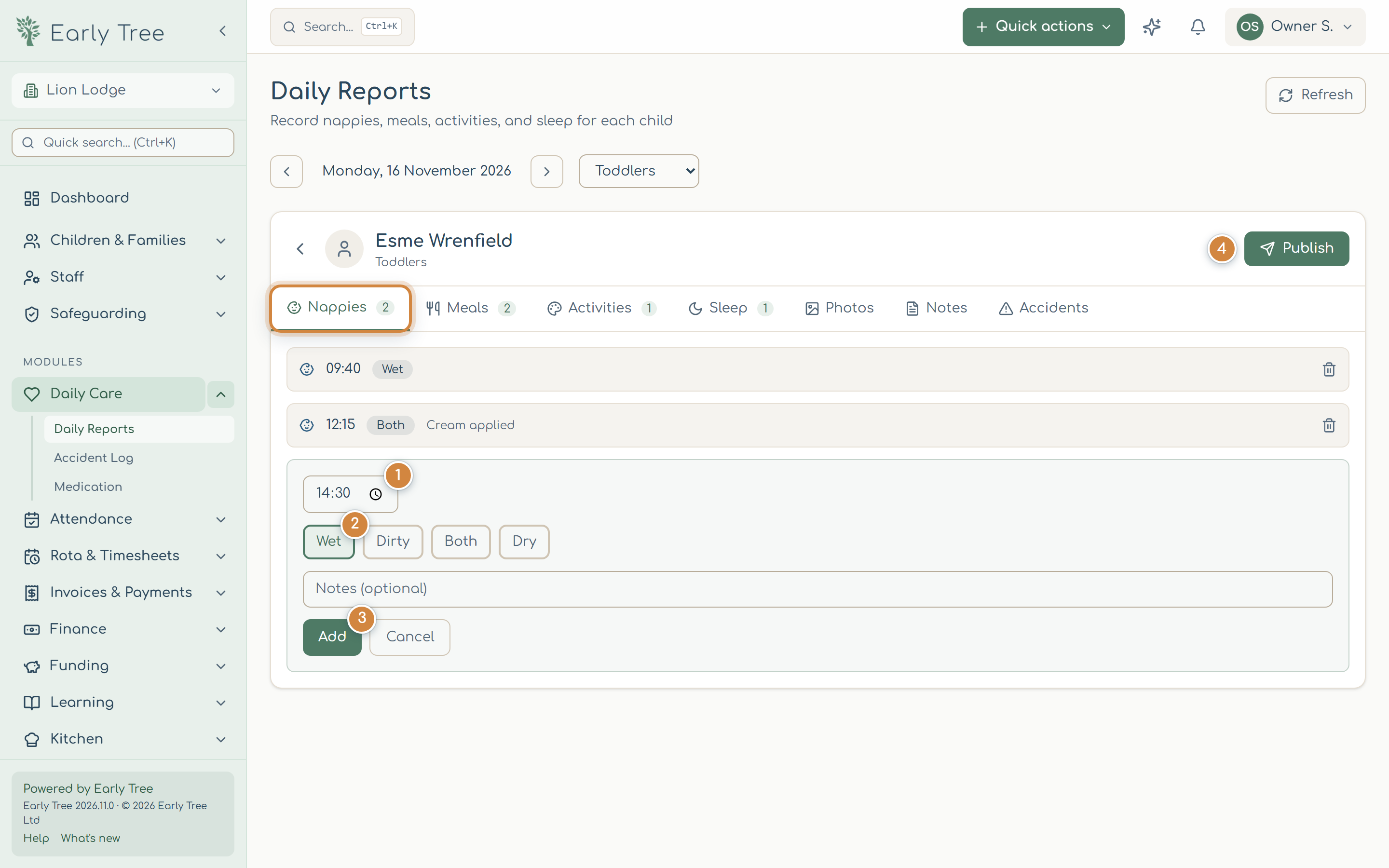
The report has a tab for each kind of entry: Nappies, Meals, Activities, Sleep, Photos, Notes and Accidents. The number on a tab is how many entries it has.
- On Nappies, select Add Nappy Change. Check the time 1, choose Wet, Dirty, Both or Dry 2, add a note if you need to, and select Add 3.
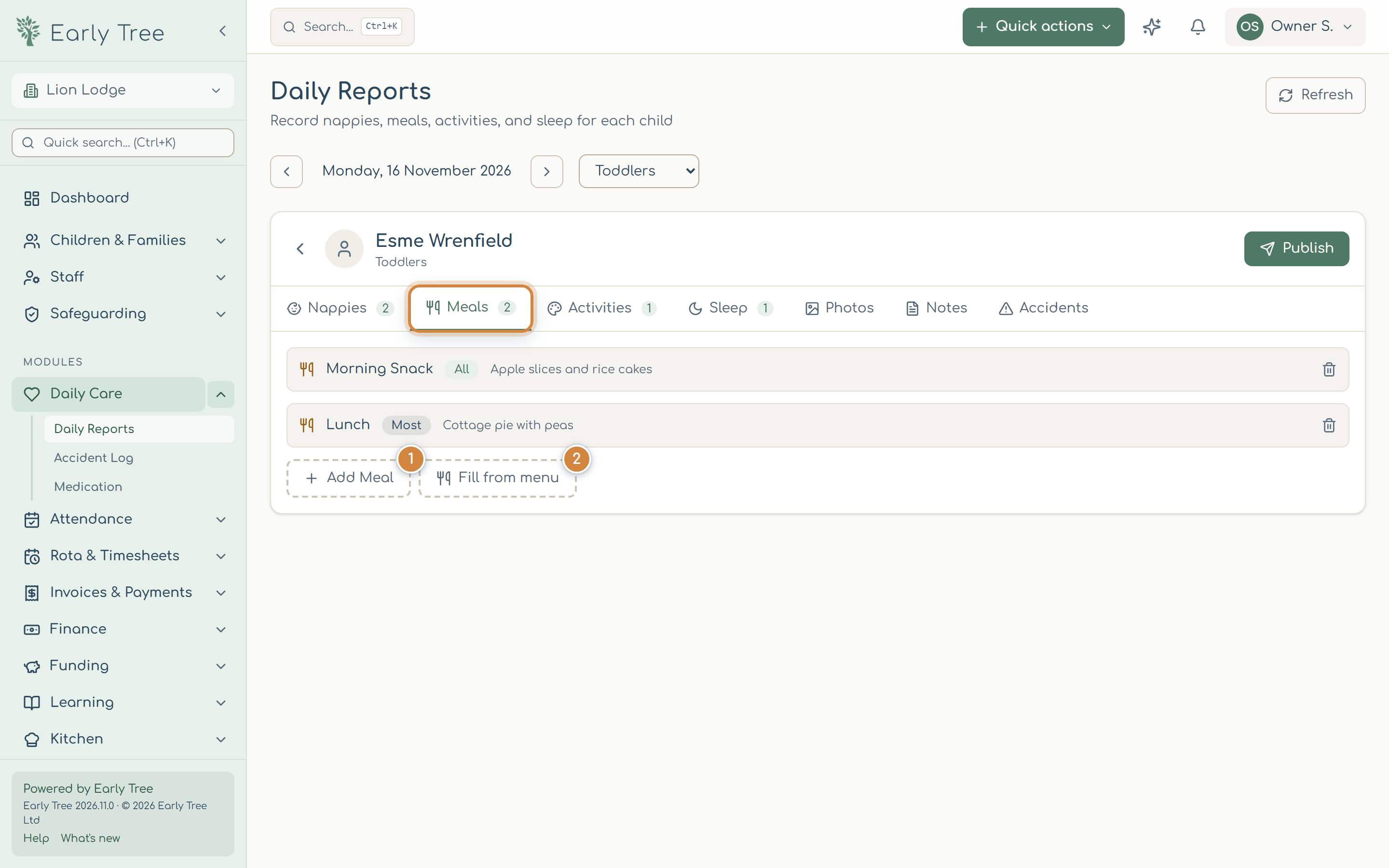
- On Meals, select Add Meal, choose the meal (Breakfast, Morning Snack, Lunch, Afternoon Snack or Tea), say what was served and how much was eaten (All, Most, Some, Little or None), then Add. Fill from menu fills in the day's meals from your published menu.
- On Activities, choose or type the activity, describe it, and say whether the child enjoyed it.
- On Sleep, select Add Sleep Period and enter the start time. Leave the end time blank while they're asleep, and select Mark awake when they wake.
- On Photos, add a caption and select Upload Photo. On Notes, write about the child's day and select Save Notes.
Publish the report
- When the child's day is complete, select Publish 4.
What you should see
The report shows Published and can't be changed any more. Parents can see it in the parent portal and app.
Common problems
- A child isn't listed.
- They aren't on the register for that day. Check the date and room, then the daily register.
- Publish is greyed out.
- The report has no entries yet. Add at least one first.
- Add is greyed out.
- Choose the required option first, for example the nappy type or the meal.
- I need to change a published report.
- Published reports are locked so parents see a fixed record. Speak to your manager.