Daily care: accidents and incidents
Purpose
Keep the written record of accidents, injuries and first aid that the EYFS requires (paragraph 3.78), tell parents the same day, and make sure anything serious is notified to Ofsted within 14 days (paragraph 3.79), and to the HSE where RIDDOR applies.
Before you start
- Give first aid first. Record it once the child is safe.
- Accidents are recorded from the child's daily report (Accidents tab) or, for a child who arrives hurt, from the Injury on arrival tile on the daily register.
Record an accident, injury or incident
- Open Daily Care › Daily Reports, select the child, open the Accidents tab and select Report Accident.
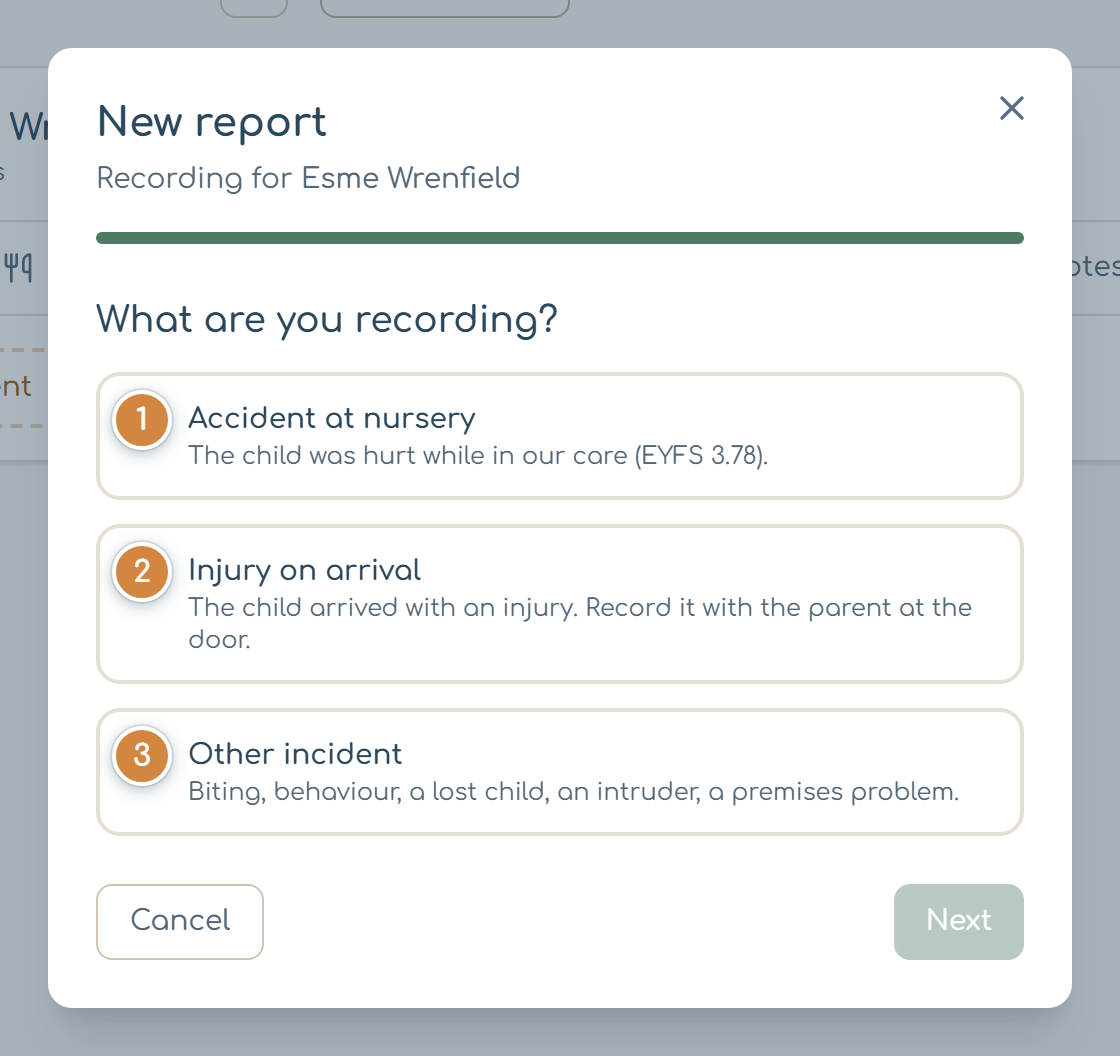
- Choose what you're recording: Accident at nursery 1, Injury on arrival 2 (the child arrived with it; record it with the parent at the door), or Other incident 3 (biting, behaviour, a lost child, an intruder, a premises problem). Select Next.
- For an accident or injury, mark where on the body map, then the type of injury and a description. For an accident, say what caused it and the Action taken (for example Cold compress applied or First aid administered). For an injury on arrival, record What did the parent or carer say? and ask them to sign.
- On Final details, enter the time, who reported and witnessed it, and how the parent was told (Phone, In person, Via app or Not yet).
- Tick This may need notifying to Ofsted or May be reportable under RIDDOR if either might apply, and choose why.
- Select Save report.
Head injuries
If you mark the head on the body map, Early Tree shows Head injury detected and the NHS head injury advice goes to the parents with the report. Follow your nursery's head injury procedure as well.
What you should see
The report appears on the child's Accidents tab and in Daily Care › Accident Log, marked Open until the parent acknowledges it in the parent app and a manager signs it off.
Follow up in the accident log
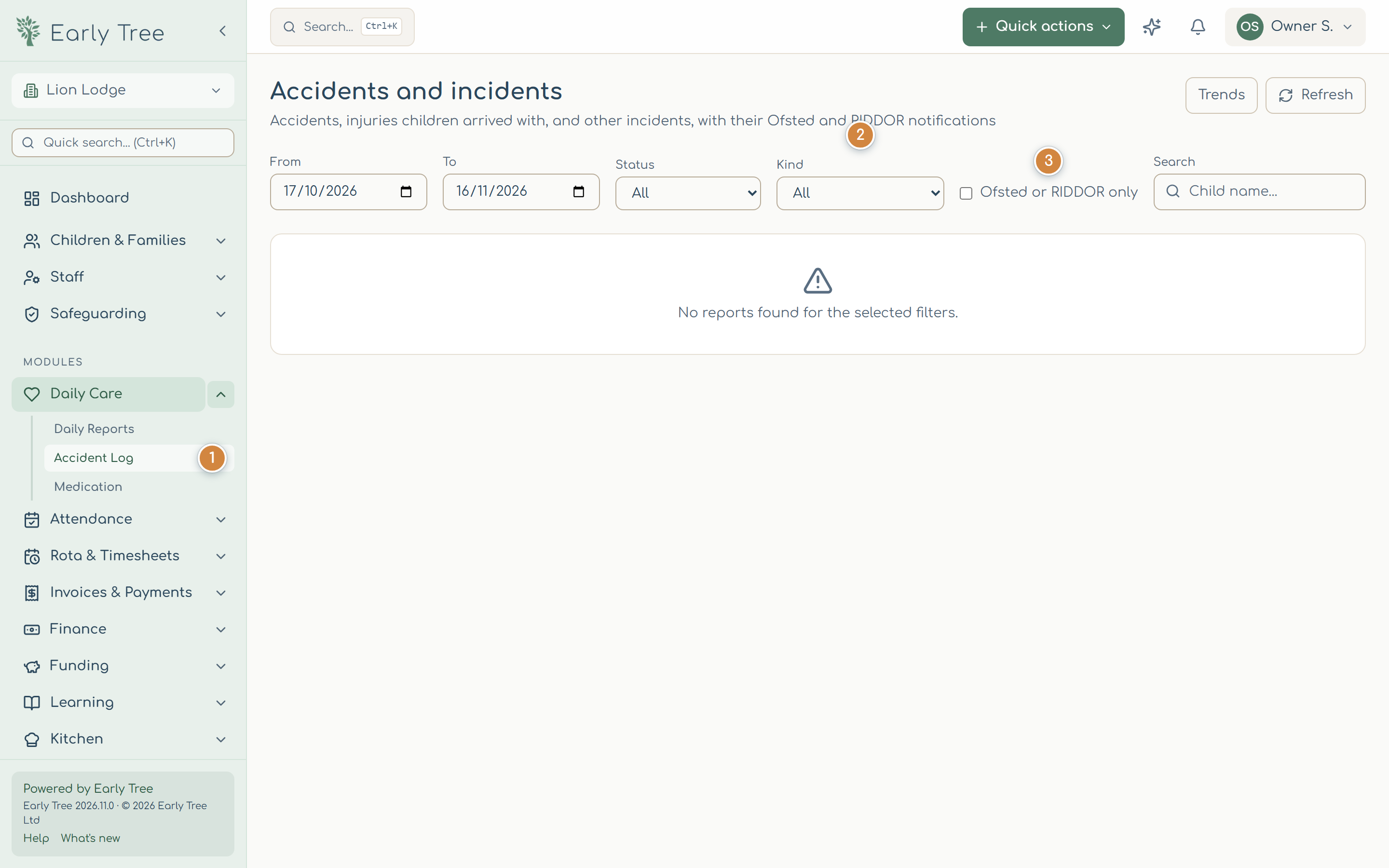
- Open Daily Care › Accident Log 1.
- Filter by date, status and Kind 2. Ofsted or RIDDOR only 3 shows the ones that may need notifying. A banner warns you when notifications to Ofsted or the HSE are still to be recorded.
- Select View to open a report. From there you can record that the parent was told, add follow-up notes, record the Ofsted or RIDDOR notification, and, as a manager, Review and sign off.
Common problems
- Next is greyed out.
- Answer the question on that step first, for example mark the body map or choose a cause.
- "The report couldn't be signed off".
- It's marked as possibly notifiable but the Ofsted or RIDDOR notification hasn't been recorded. Record it on the report, then sign off.
- The parent hasn't acknowledged it.
- Parents acknowledge in the parent app. Use Message family on the report to remind them.