Kitchen: menus, allergies and dietary needs
Purpose
Make sure every child gets food that is safe for them: record each child's allergies and dietary needs, plan menus with an alternative for every need, and check each menu before you publish it.
What the law asks of you
The EYFS statutory framework for group and school-based providers (effective 1 September 2026) requires you to:
- provide healthy, balanced and nutritious meals, snacks and drinks, with fresh drinking water always available (paragraph 3.63);
- find out about any special dietary requirements, preferences, food allergies and intolerances before a child is admitted, share it with everyone who prepares and handles food, and be clear at each meal and snack who checks that the food meets each child's needs (paragraph 3.65);
- develop allergy action plans with parents, keep them up to date and share them with all staff (paragraph 3.66).
Record a child's allergies and dietary needs
- Open the child's record and go to Medical. Select Edit.
- Switch on Has allergies, then fill in Allergic to and Reaction and what to do.
- Switch on Has dietary requirements and describe them, for example vegetarian, halal or a texture need.
- Save. The record shows the Flagged allergens (menus) the menu checks use, from the 14 allergens food businesses must declare.
Parents give this information during onboarding, before the child starts. Check it with them and update it whenever it changes. Upload the child's allergy action plan to their Documents.
Plan a menu
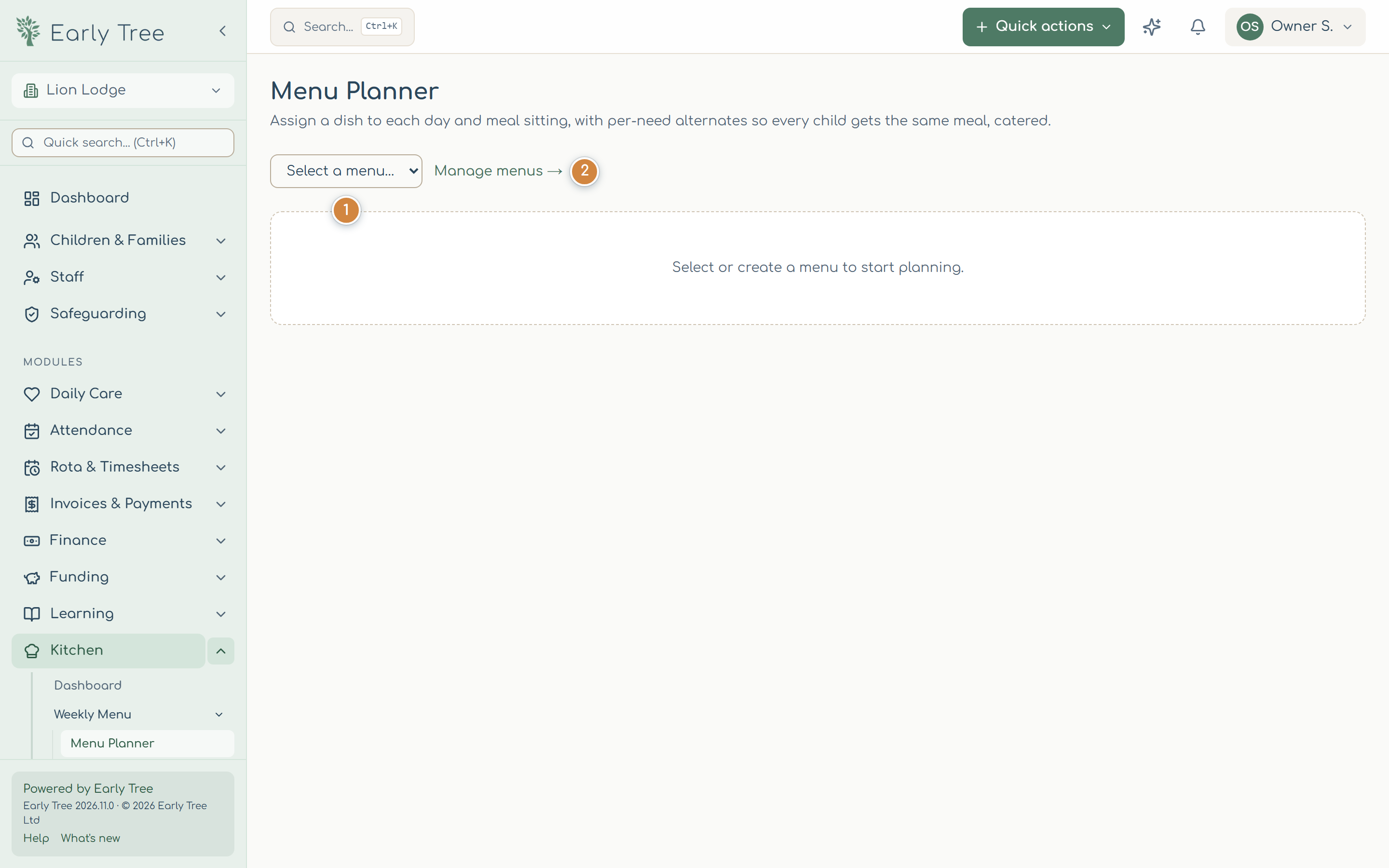
- Select Kitchen › Weekly Menu › Menu Planner, then choose a menu 1, or create one under Manage menus 2.
- Select a day and sitting, choose the Main dish (or describe it), and add Alternatives for each need. Select Save.
- Check the side panel. Nutrition compliance checks the menu against the guidance. Child safety checks shows any child with a recorded allergy or preference who has no safe alternative; fix every conflict until it says every child can be catered for.
- Select Publish menu. It's published straight away.
Fill daily reports from the menu
In Daily Care › Daily reports, select Fill from menu next to Add Meal to add the meals from this week's published menu. Then record how much each child ate.
The menu checks only know what's recorded. At every meal and snack, the person responsible must check each child's food against their needs, and there should always be a member of staff with a paediatric first aid certificate in the room (EYFS paragraph 3.64).
Common problems
- A child isn't flagged in the safety checks.
- Their allergies or dietary needs aren't recorded on their Medical section. Update their record.
- Fill from menu adds nothing.
- There's no published menu for this week. Publish it in the Menu Planner.