Notifications: what you get and how
Purpose
See everything that has happened that you need to know about, and choose how it reaches you: in Early Tree, by email, or by text.
The notification centre
- The bell 1 at the top shows how many unread notifications you have. Open it for the latest, or select View all notifications.
- In the notification centre, choose All or Unread, and filter by Area 2, such as Daily care, Billing and payments or DBS and compliance.
- Select Mark all as read 3 to clear them, or mark one at a time.
- Choose what you get and how 4 takes you to your notification choices.
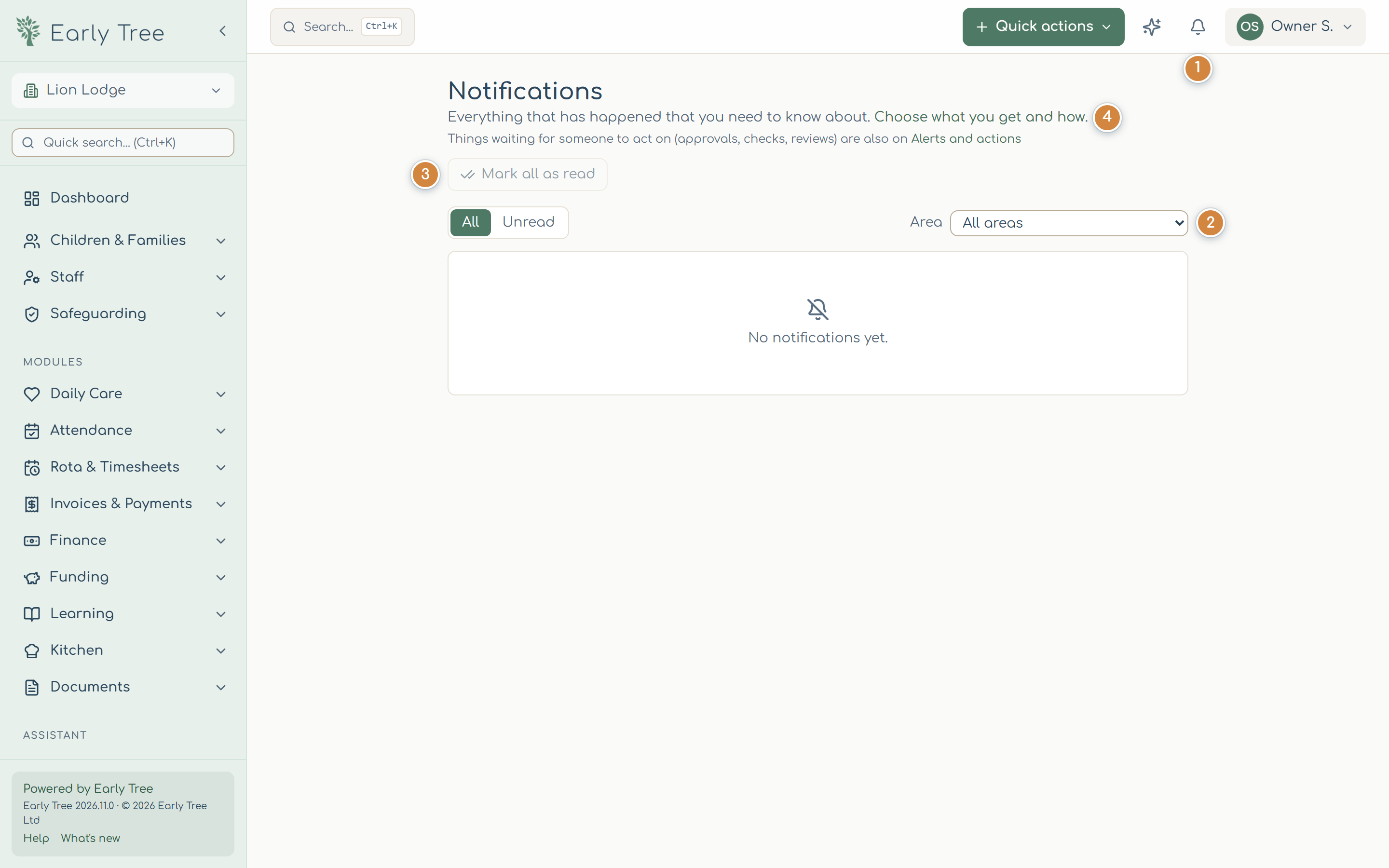
Things waiting for someone to act on, such as approvals, checks and reviews, are also on Alerts and actions.
Choose your notifications
- Open your name, then Settings, and go to Notifications.
- For each kind of notification, tick In-app, Email, Push or Text. Items with a lock can't be turned off: security emails tell you if someone else uses your account, and accidents and safeguarding always reach the people who need them. Your nursery can also require some notifications for everyone.
- Turn on quiet hours to hold back notifications overnight, for example from 21:00 to 07:00.
- Under Email summary, choose Send each email as it happens, Once a day or Once a week.
- Select Save notification settings.
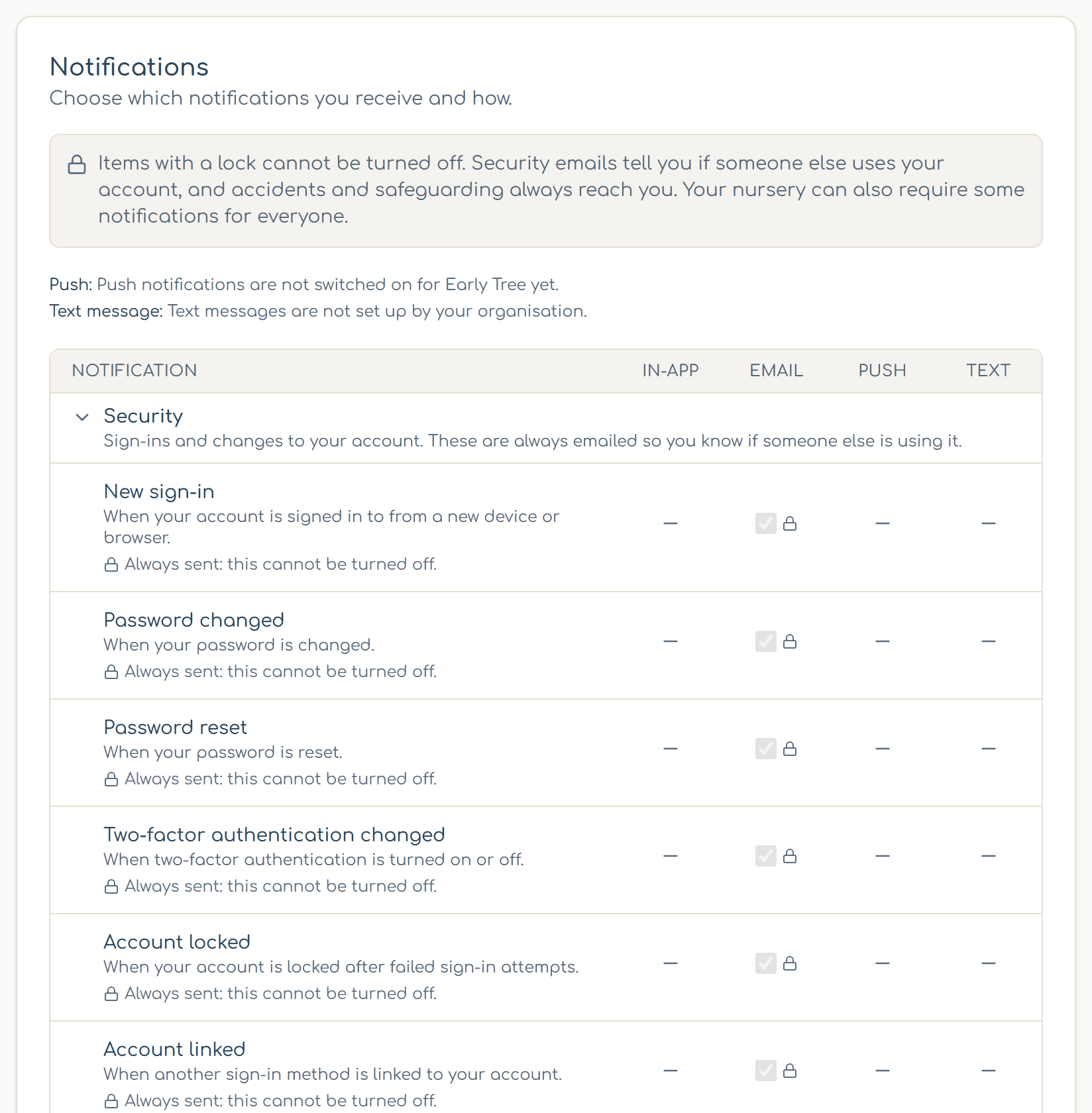
Text messages only work once the owner has set them up under Settings › Text messages (your organisation uses its own Twilio account). Add your mobile number under Phone number for SMS and verify it with the code you're sent.
Set your nursery's defaults
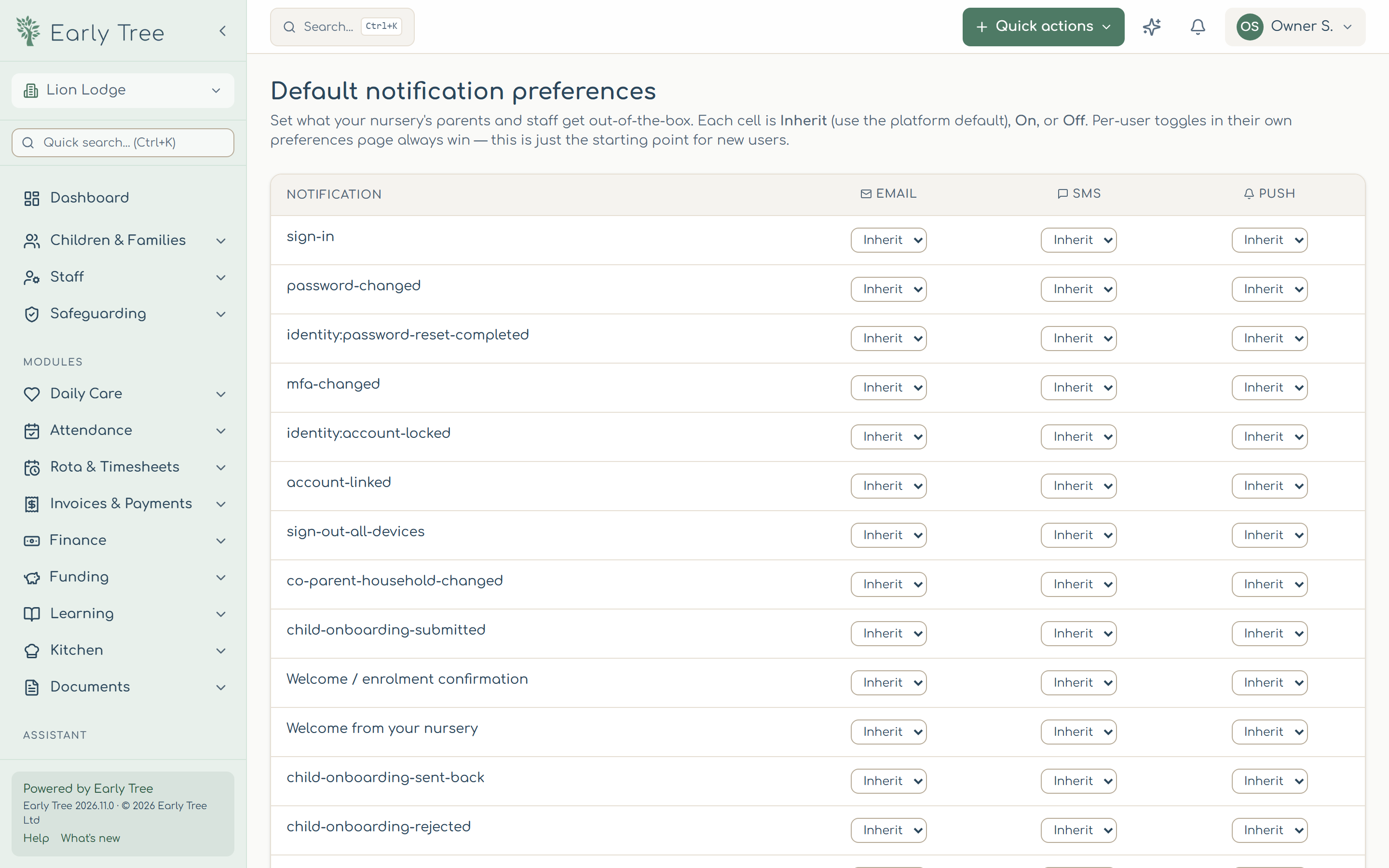
Owners can choose the starting point for everyone: select Settings › Notifications › Nursery defaults. For each notification, choose Inherit (Early Tree's default), On or Off for email, text and push, then select Save defaults 1. People's own choices always win; defaults apply to anyone who hasn't chosen.
Common problems
- I'm not getting emails.
- Check your choices and your email summary setting, and your junk folder.
- I can't turn a notification off.
- It has a lock: it's always sent, or your nursery requires it.