Daily care: medication
Purpose
Give medicines safely and keep the record the EYFS requires: a medicine is only given with the parent's or carer's written permission for that medicine, every dose is recorded, and the parent is told the same day (paragraph 3.62). Prescription medicines are only given when prescribed for that child by a doctor, dentist, nurse or pharmacist, and a medicine containing aspirin only if a doctor prescribed it (paragraph 3.61).
Before you start
- Have the medicine in its original container, with the pharmacy label for a prescribed medicine.
- Have the parent's signed consent form, or ask the parent to give consent in the parent app.
See what's due today
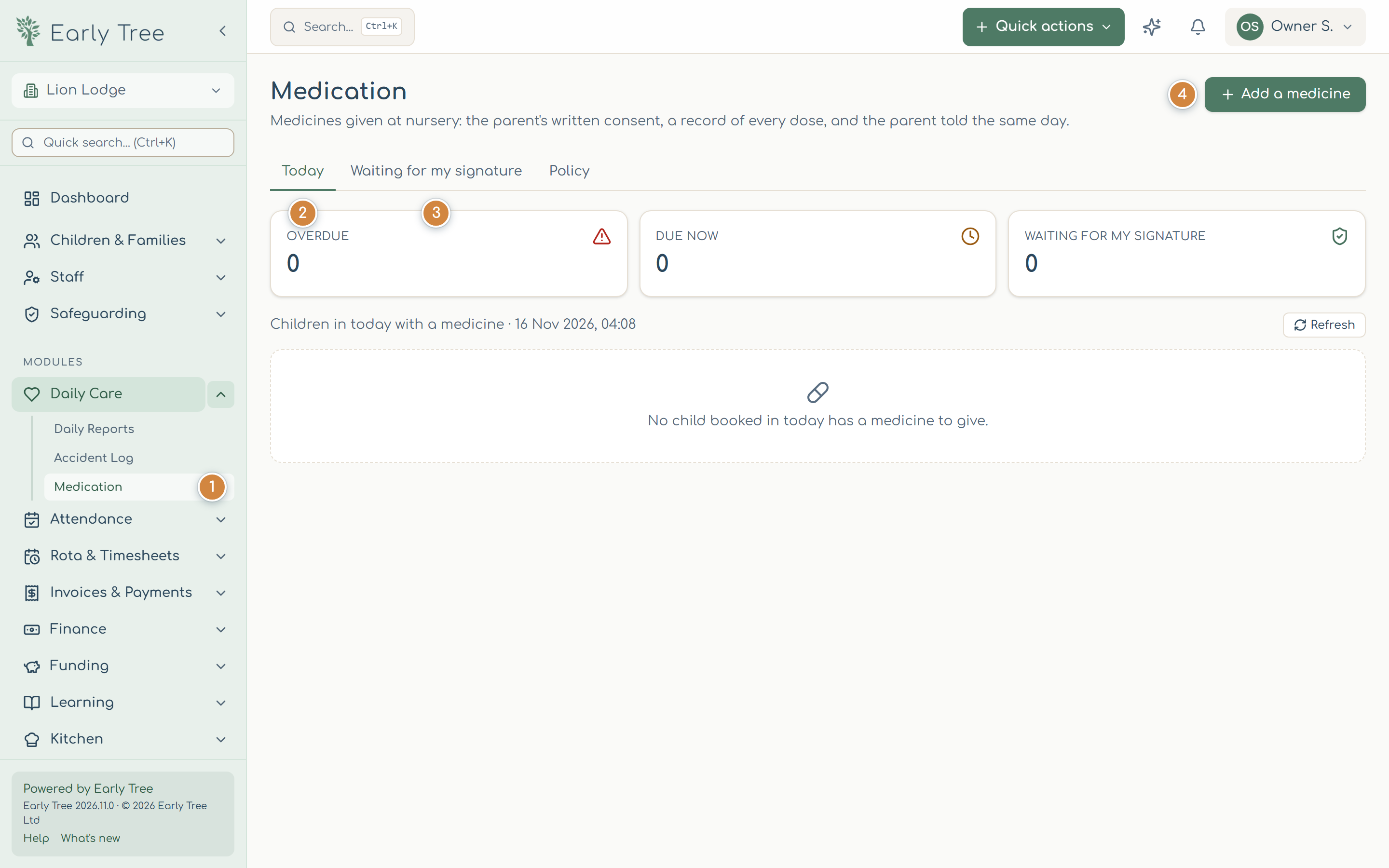
- In the menu, select Daily Care, then Medication 1.
- Today 2 shows what's Overdue and Due now for the children booked in today, with a button for each dose. Waiting for my signature 3 lists doses you witnessed, waiting for your confirmation.
Add a medicine
- Select Add a medicine 4. Nothing is saved until the last step.
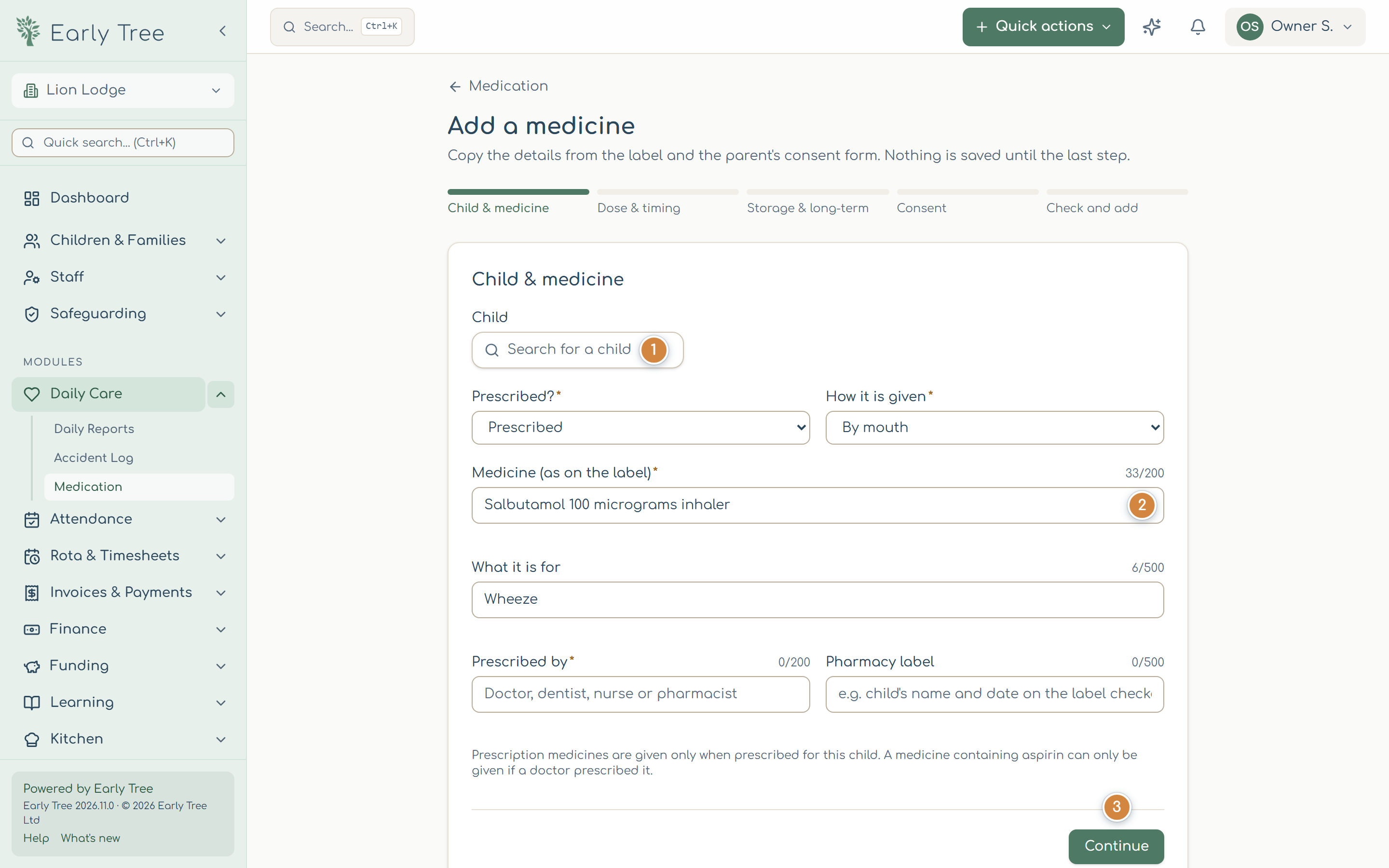
- Child & medicine: find the child 1, say whether it's prescribed and how it's given, and copy the medicine's name exactly as on the label 2, what it's for and who prescribed it. Select Continue 3.
- Dose & timing: the dose (for example 5 ml or 2 puffs), when it's given, and the times it's due at nursery.
- Storage & long-term: where it's kept, and for a long-term medicine, the expiry date and any health care plan.
- Consent: if the parent has signed your paper consent form, switch on The parent has signed our paper consent form and enter their name and the date. Otherwise, leave it off and the parent is asked in the app.
- Check and add: check everything, then select Add medicine.
Record a dose
- On Today, select the child's dose and choose Record a dose.
- Choose What happened: Given, Refused, Missed or Not given (withheld), and check the time and the amount.
- If it wasn't given, say why and what was done. Add a witness if your policy needs one.
- Select Record dose. If Early Tree spots a problem (for example, too soon after the last dose), it shows Check before giving this dose; only continue with I've checked: record it once you have.
What you should see
The dose appears in the medicine's Doses record with who gave it and the witness, and the parents are told straight away.
Common problems
- "Check the highlighted fields."
- A required field on that step is empty; the message under it says what's needed.
- I recorded a dose by mistake.
- Open the medicine and use Entered in error on that dose, giving a reason. The original stays in the record.
- The medicine has been stopped.
- Open it and select Stop this medicine, saying why.