Parent portal: your child at nursery
Purpose
The parent portal is where you see your child's day, read and acknowledge accident reports, give consent for medicines, message the nursery and pay your bill. This guide is written for parents; nursery staff can share it.
Before you start
- Your nursery invites you. You sign in with Early Tree ID, using the email address the nursery has for you.
- Your nursery chooses which features it uses. A feature it doesn't use shows a lock in the menu.
Sign in
- Go to my.earlytree.co.uk, or open the Early Tree parent app and select Sign in with Early Tree ID.
- Enter your Email and Password, and select Sign In. If you've forgotten your password, select Forgotten password?.
The home page
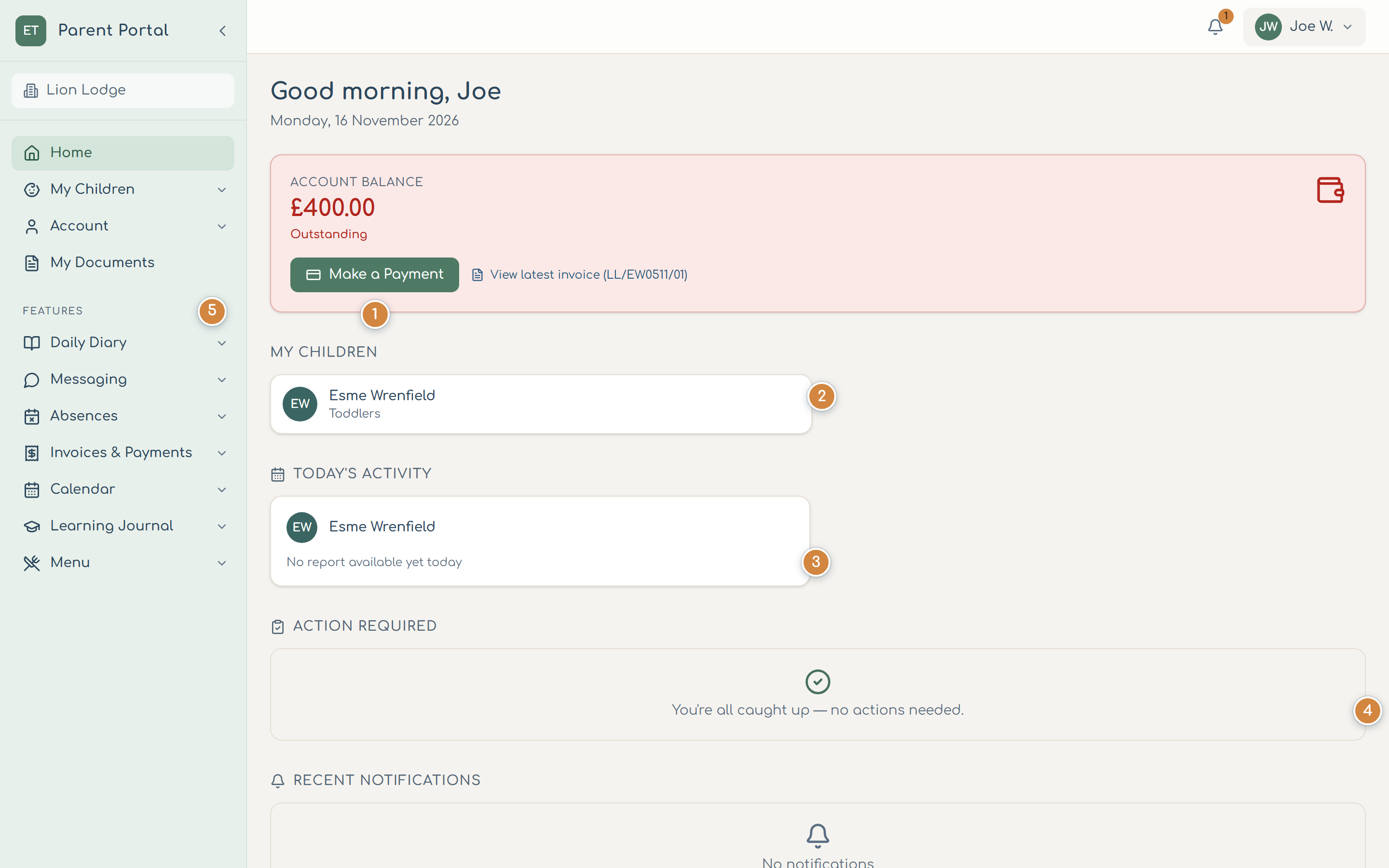
- Account balance shows what you owe. Select Make a Payment 1 to pay, or view your latest invoice.
- My Children 2 opens each child's page.
- Today's Activity 3 counts today's meals, activities, sleeps and photos once staff publish the diary.
- Action Required 4 lists anything waiting for you, such as finishing onboarding or signing a funding agreement.
- The features your nursery uses are under Features 5: Daily Diary, Messaging, Absences, Invoices & Payments, Calendar, Learning Journal and Menu.
Your child's page
Open My Children, then your child.
- Daily Diary 1 shows the day's meals, sleeps, nappies, activities and photos.
- Accident reports 2: the nursery tells you about any accident, injury or first aid the same day, or as soon as reasonably practicable (EYFS paragraph 3.78). Open the report, tick I acknowledge receipt of this accident report, sign if you'd like to, and select Acknowledge. You can download the report or ask a question about it.
- Medicines 3: the nursery only gives a medicine you've given written permission for, and tells you the same day each time it's given (EYFS paragraph 3.62). To give consent, tick I give my written consent, type your full name and select Give consent. You can also Add a medicine, Withdraw consent, and read and acknowledge each dose.
- Edit Child Details 4 sends changes to the nursery. They're applied once the nursery accepts them; My changes shows where they are.
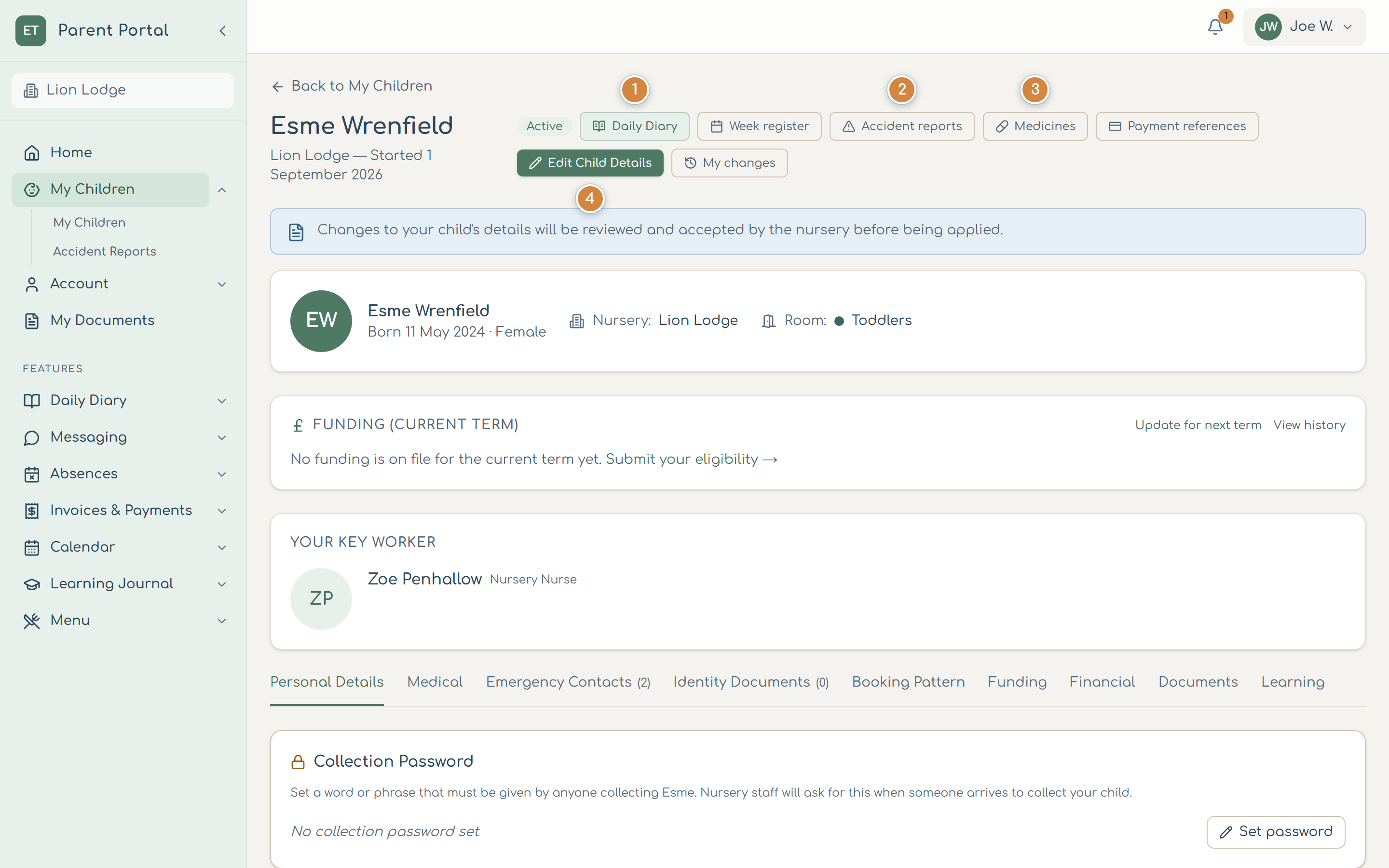
You can also set a collection password on your child's page: a word or phrase anyone collecting your child must give.
The Early Tree app
The parent app has the same features: Home, Children, Learning, Payments and Messages along the bottom, and Share a moment to send the nursery a photo. Under Account and security you can lock the app with a PIN or your fingerprint or face.
Common problems
- A feature has a lock.
- Your nursery doesn't use it. Ask the nursery.
- Today's diary is empty.
- Staff publish the diary during or at the end of the day. Check again later.
- My changes haven't appeared.
- The nursery reviews changes first. Open My changes to see if they're waiting.